
Actions
Before you can run actions, you must first register your websites in Control Spot. Once your sites are registered, you can add resources such as themes, plugins or system reports.
The Actions page is the central hub where you run operations on one or more selected websites. It uses resources you created (themes, plugins and system reports) and applies them across sites in parallel.
Website selection
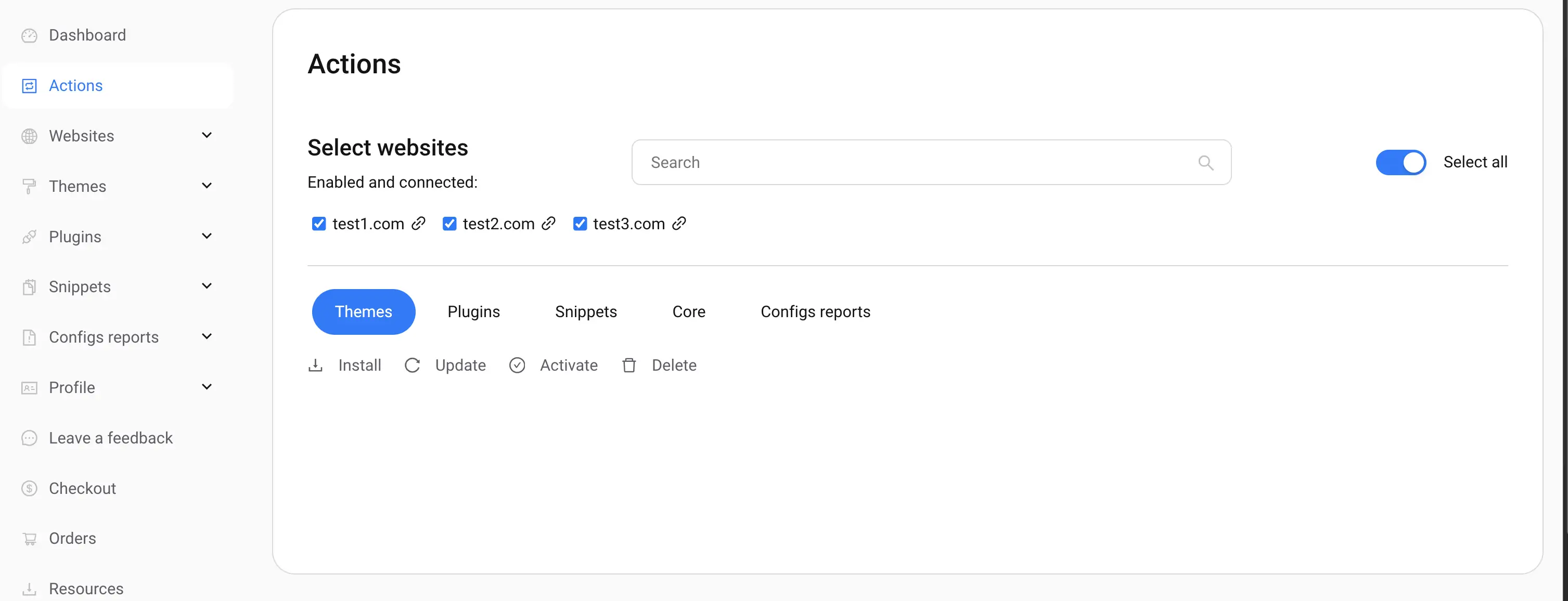
Each website is listed with a checkbox. Use the Select All checkbox to include every available website. Actions run on the set of currently selected sites. You can uncheck individual sites after using Select All.
Preview
Select websites using checkboxes; use Select All to include all sites quickly.
Available actions
Actions operate on resources you register in Control Spot. The main action types are listed below.
- Themes — install, update, activate, deactivate, delete
- Plugins — install, update, activate, deactivate, delete
- WordPress Core — update WordPress core
- System Reports — view custom system reports for selected websites

Preview
Choose which resource and action you want to run across selected sites.
Execution and status
When you start an action, Control Spot executes it in parallel on all selected websites. The results table shows one row per website with success/failure status and an execution log for troubleshooting.
How to run an action
- Select websites (or use Select All)
- Choose a resource (theme, plugin, core, or report)
- Pick the specific action (install / update / apply / view)
- Confirm and run the action
- Monitor per-site status in the results table
Tip — Select All
Use Select All to quickly target every site. After selecting all, you can uncheck any sites you want to exclude.
Next steps